How to Trigger Milestones Before a Specific Age or Calendar Year
VisionWealth Gratuit enhanced Milestone options, allowing you to set goals tied to achieving specific metrics before a certain age or date, not just on it. This feature enhances flexibility and detail in Milestone-based planning, enabling you to stay aligned with key financial goals. Examples include:
- Reaching a target net worth by age 40 to qualify for early retirement.
- Deciding to return to work if net worth falls below $0 before reaching age 60.
- Saving $0 by age 35 to cover a child’s tuition upfront.
- Accumulating $0 by age 45 to purchase a vacation home without borrowing.
How to Use “Before Specific Age†and “Before Calendar Yearâ€
Note: Unless you modify your date of birth, Before Specific Age and Before Calendar Year are effectively interchangeable.
1. Access Milestones
- Navigate to Settings > Milestones.
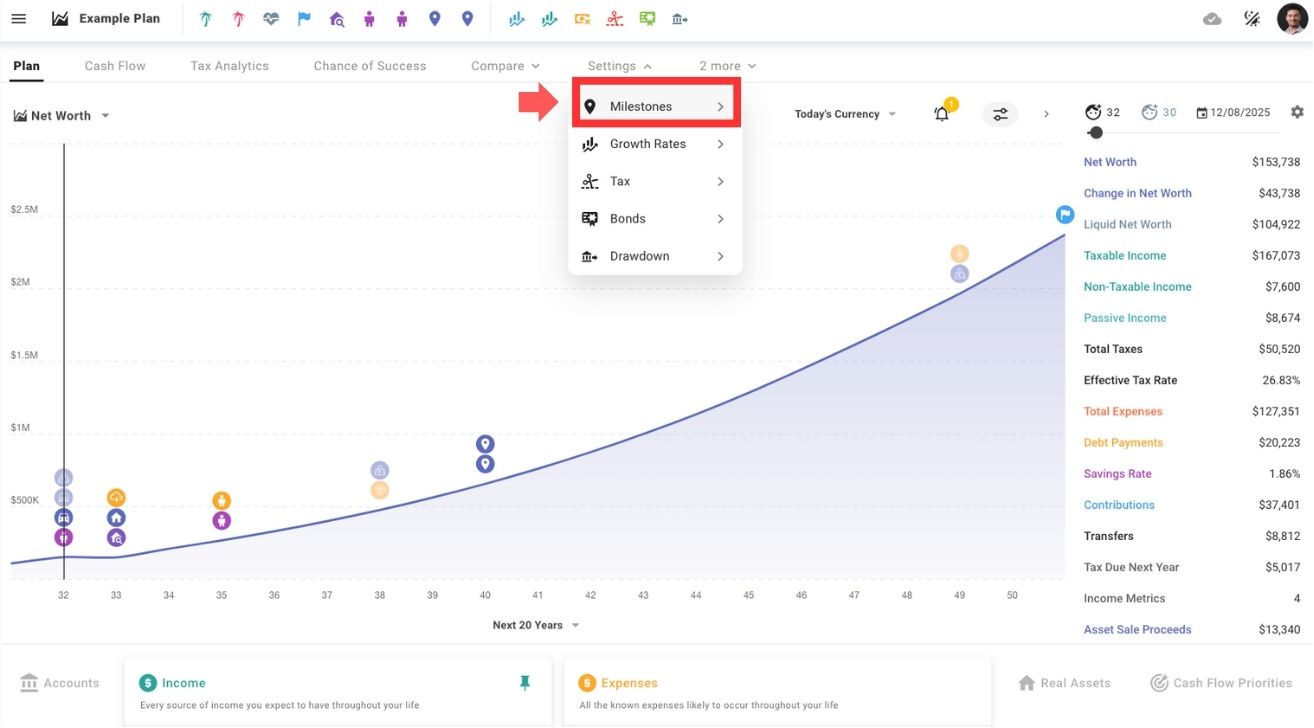
- Create a new milestone or select an existing one.
2. Set Milestone Criteria
Choosing “Before you reach ageâ€
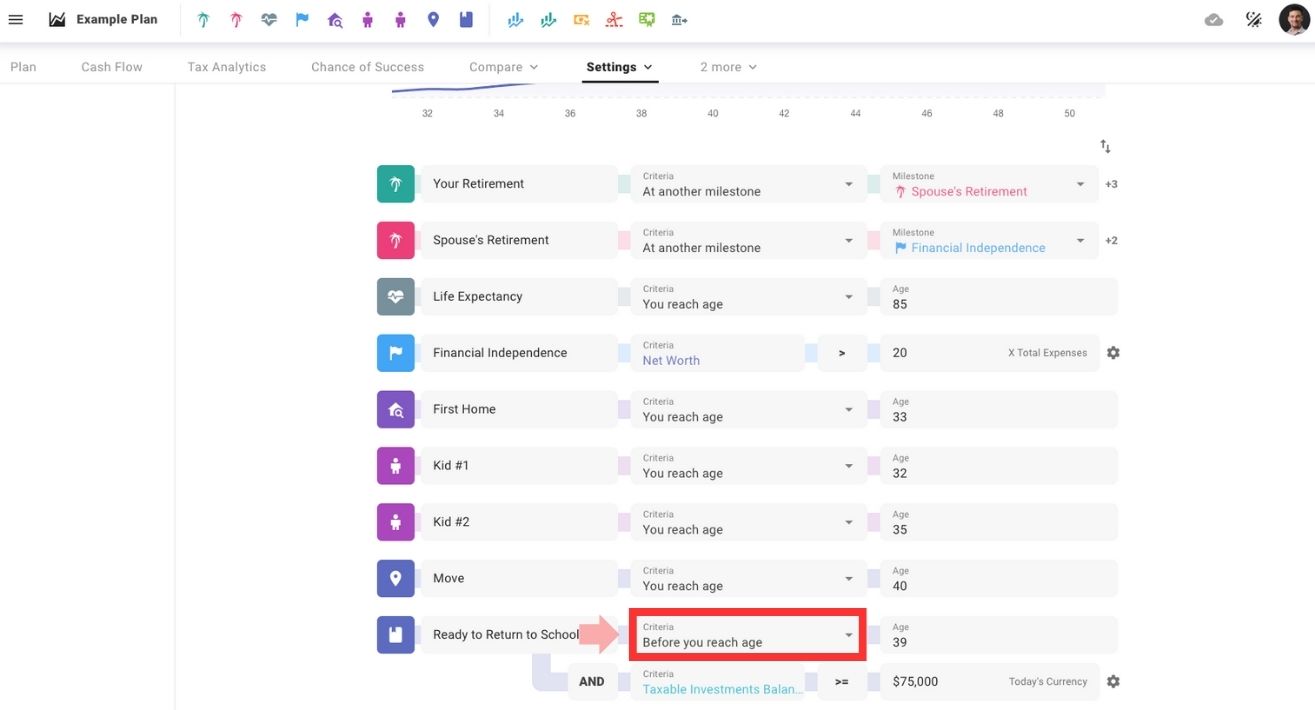
Example: Save $0 in Taxable Investments before age 39 to return to school.
- Define a target age (e.g., 39).
- Add additional financial goals, such as achieving a specific net worth or savings amount.
Choosing “Before calendar yearâ€
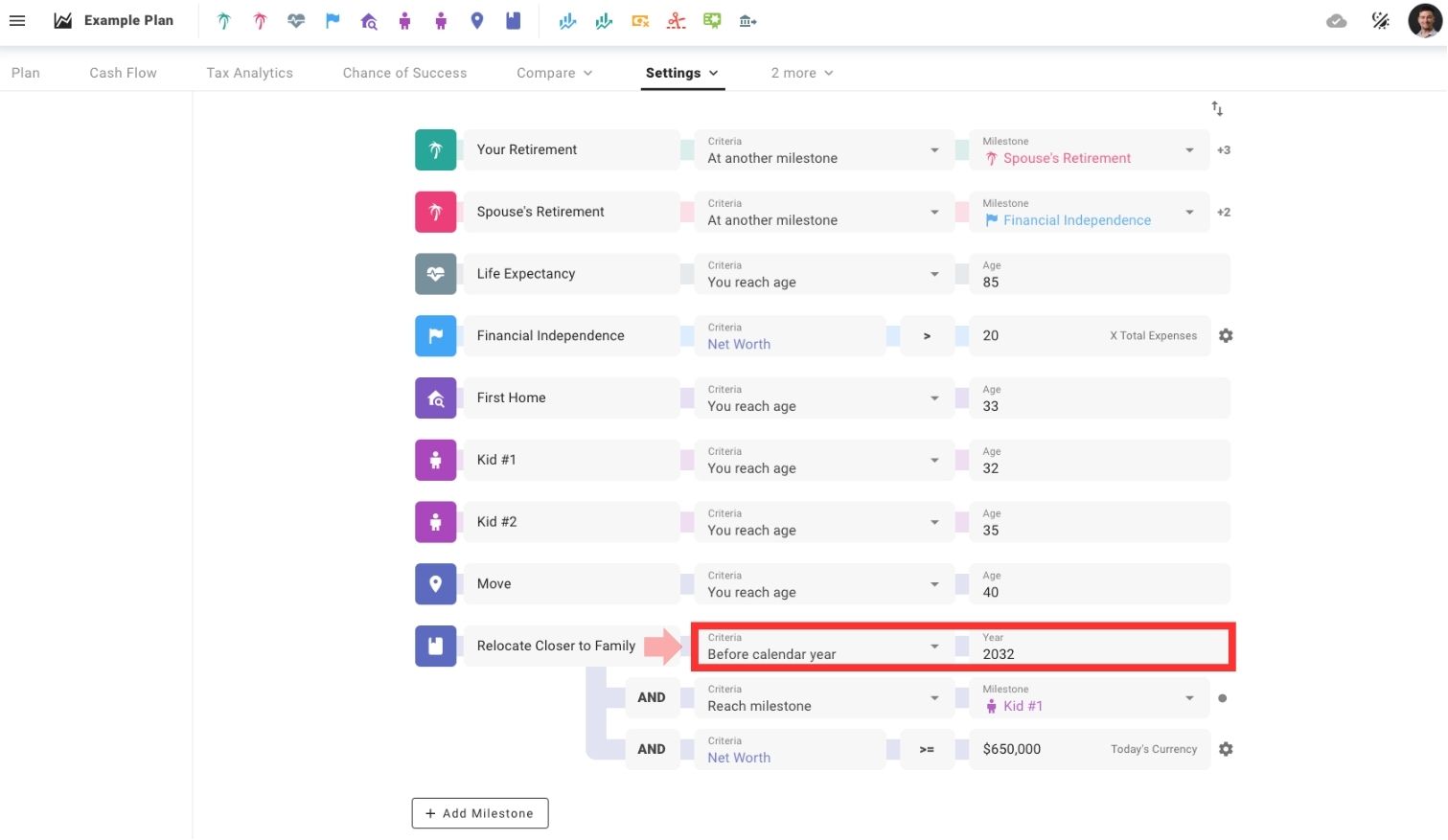
Example 1: Relocate closer to family by 2032, provided my net worth reaches $0K or more and I’ve had my first child.
- Set a target year (e.g., 2032).
- Align it with financial goals like funding a major expense or life change.
Example 2: Return to work if your portfolio value drops below a set threshold before a certain calendar year.

- Create a custom milestone and label it according to your preference, such as “Return to Work.â€
- Set the milestone to occur before a specified year (e.g., 2040).
- Tie an additional criterion of the milestone to a specific net worth or portfolio value (e.g., below $0M).
- Note: The “Before you reach age†functionality could also be applied in this example.